


Linky AI: Chat, Play, Connect
3.915.45K Reviews
App Specs
- Version
- 3.37.1
- Updated On
- License
- Free
- Downloads
- 10,000,000+
- Developer
- Skywork AI Pte. Ltd.
- Categories
- Social
- Platform
- Android, iOS
Screenshots


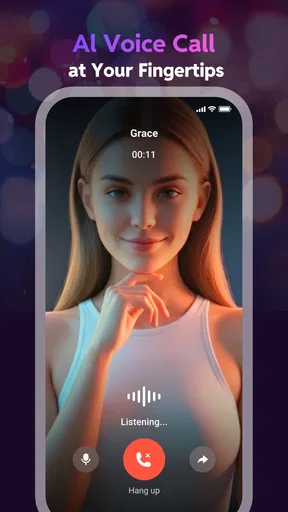
 Analysis by AppCompare
I approached Linky AI as a social app with a simple question in mind: does chatting with AI characters feel meaningfully different from using a general-purpose assistant? After spending time exploring its conversations and roleplay style, my answer is yes, but with an important qualification. This is built less for precise answers and more for company, improvisation, and fictional interaction. If you enjoy shaping a character through conversation, it can be surprisingly absorbing. If you want dependable research, practical productivity help, or a consistently accurate assistant, I would look elsewhere.
Linky AI comes from Skywork AI Pte. Ltd. and is free to install, with optional purchases ranging from under a dollar to several hundred dollars per item. It sits in the social category rather than behaving like a conventional messaging network. The central experience is choosing or engaging with AI personalities, then guiding the conversation through ordinary chat, roleplay, or imaginative scenarios. That focus gives it a more relaxed atmosphere than an assistant app, but it also means the quality of the experience depends heavily on your expectations and on how carefully you steer each exchange.
What the character-chat experience does best
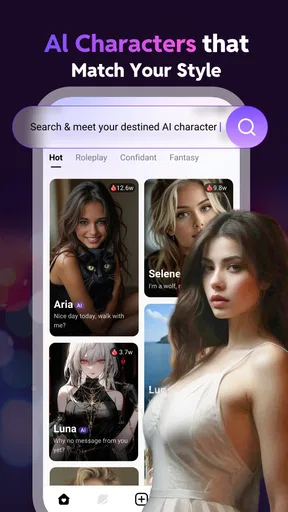
The strongest part of the app is the feeling of entering a conversation with a defined personality instead of opening a blank text box. A general AI assistant usually waits for instructions. Here, the appeal is closer to starting a scene: you establish a mood, adopt a role, or test how a character reacts when the conversation changes direction. That makes the first few exchanges more inviting for people who do not want to formulate perfect prompts.
I found the best results came from treating the chat as collaborative improvisation. Rather than asking a character to “be interesting,” I gave it a setting, a relationship, and a clear immediate situation. For example, a user might frame a rainy train journey, explain who the two people are, and then ask the character to respond in a particular emotional tone. This approach produces a more coherent interaction than sending isolated questions, and it is one of the most useful habits to learn early.
The app is also a good fit for short creative breaks. I could imagine opening it while commuting, waiting for an appointment, or winding down before bed. A conversation can function as a lightweight writing prompt, a way to rehearse dialogue, or simply a playful distraction. It does not demand the planning that a full writing application does, and that low barrier is part of its charm.
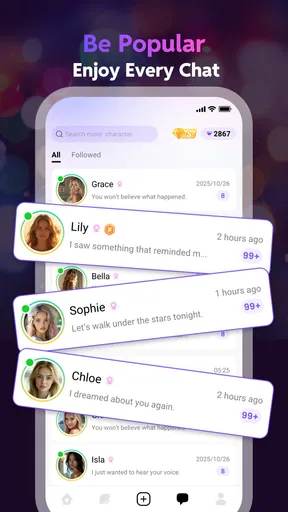
Another strength is the social framing. Even though the conversation is with artificial characters, the interface encourages discovery and connection rather than making every exchange feel like a task. That distinction matters. People who enjoy character-driven fiction, interactive stories, or roleplaying communities may find the presentation more welcoming than a productivity-focused chatbot.
The app’s popularity gives some context for its reach: it has passed ten million installs, while its average rating is 3.9. I would read those figures as evidence of broad curiosity and a mixed but substantial user response, not as a guarantee that every character or conversation will suit you. In this kind of app, personal taste matters more than a single score because one user may value romantic roleplay, another may prefer fantasy scenes, and a third may only want casual conversation.
Worth Reading Before You Choose

Baby Panda World Brings Quick Play to Modern Phones, but Its Game Library Feels Busy

ESPN’s Live Game View Makes Following Close Games Easier

QuizzLand Review: A Good Fit for Short Trivia Breaks, Not Every Player

Basketball Stars: Multiplayer Is Fast, but Can It Recover When Matches Go Wrong?

WEBTOON Turns Phone Updates Into a Better Reading Routine

Link to Windows Runs on Shared Habits, Not Social Feeds
How I would use it for creative practice
One less obvious use is dialogue testing. If I were drafting a short story, I could assign the character a goal and a secret, then ask questions from the perspective of another person in the scene. The resulting replies would not replace editing or human feedback, but they could expose flat dialogue quickly. When the exchange becomes repetitive, that is a useful signal that the character’s motivation or the scene’s conflict needs more work.
A second workflow is mood-based journaling. Instead of writing a formal diary entry, I could describe the day to a chosen persona and ask it to respond with empathy, curiosity, or gentle challenge. This can make reflection feel easier for someone who dislikes a blank page. I would still keep boundaries in mind: a character can offer conversational comfort, but it is not a substitute for professional mental-health care or a trusted person when the situation is serious.
A third practical trick is to reset the premise before abandoning a disappointing chat. If responses start drifting, I would restate the character’s role, the current scene, and the tone I want in one compact message. This is often more effective than repeatedly saying “stay in character.” It also helps reveal whether the problem is a weak setup or a limitation in the conversation itself.
Where it differs from ordinary chatbot alternatives
Compared with a general AI assistant, Linky AI is more immediately playful and character-oriented. A general assistant is usually the better choice for summarizing documents, planning a detailed project, checking technical reasoning, or producing structured work. Its advantage is utility and directness. This app’s advantage is atmosphere: it gives the conversation a social and fictional frame that can make casual interaction feel less mechanical.
Compared with a traditional social network, it removes the pressure of real people, public posting, and waiting for replies. That can be appealing when someone wants to experiment privately with a persona or scenario. The trade-off is equally clear: AI interaction cannot provide genuine friendship, lived experience, or the unpredictable insight of another person. I see it as a private creative playground, not a replacement for a community.
Compared with interactive fiction or a story game, the experience is more open-ended but usually less tightly authored. A scripted game can deliver stronger pacing, deliberate twists, and a polished ending. Linky AI offers freedom to change the direction whenever you want, which is ideal for improvisation but can also produce wandering conversations. Users who need a carefully written narrative may prefer a conventional game or interactive novel.
Limitations that affect daily use
The biggest weakness is consistency. Character chat is only satisfying when the personality, tone, and context remain stable enough to support the illusion. In practice, conversations can lose focus, repeat familiar patterns, or respond in a way that feels too generic. When that happens, the experience shifts from roleplay to prompt management. I was willing to guide it occasionally, but constant correction would quickly become tiring.
That limitation also affects long sessions. A short exchange can feel lively because the premise is fresh. Over time, however, the user has to do more work to keep the scene moving. I recommend setting a concrete objective for each session, such as resolving an argument, reaching a destination, or uncovering a clue. Without a goal, the chat can become a loop of greetings, emotional reactions, and questions that do not lead anywhere.
The Mature 17+ rating is another reason to use judgment before handing the app to a younger person. Character-based social interaction can cover themes that are not appropriate for every audience, and the roleplay format encourages users to explore different situations. I would treat the age classification seriously, supervise access on shared devices, and avoid assuming that a friendly opening conversation represents everything the platform may offer.
Cost is worth watching as well. The app is free to start, but in-app purchases can reach $269.99 per item. That does not automatically make the free experience poor, yet it does mean I would check what is available without spending and decide on a personal limit before buying anything. Character-chat apps can encourage frequent returning, so small purchases may feel harmless individually while becoming less comfortable over time. I would never purchase simply to rescue a conversation that is not working.
Device compatibility is relatively broad for Android users because the current release, version 3.37.1, requires Android 7.0 or later. The app first appeared on July 3, 2023, so it is not a brand-new experiment, but I would still keep expectations realistic: ongoing updates can change the feel of a social AI product, and a version number alone does not guarantee that every issue will be resolved on every phone.
Privacy, boundaries, and responsible expectations
My most important advice is to avoid treating the chat as a private diary for highly sensitive information. I would not enter passwords, financial details, identifying documents, or anything I would regret placing into a digital conversation. This is a sensible habit with any online service, and it matters even more when the interface feels intimate or emotionally responsive.
I would also separate entertainment from authority. A character may sound confident while being wrong, especially if a roleplay conversation turns toward health, law, money, or personal safety. For those subjects, I would verify information through reliable sources or qualified professionals. The app is at its best when I ask it to imagine, react, brainstorm, or perform a fictional role—not when I expect it to make important decisions for me.
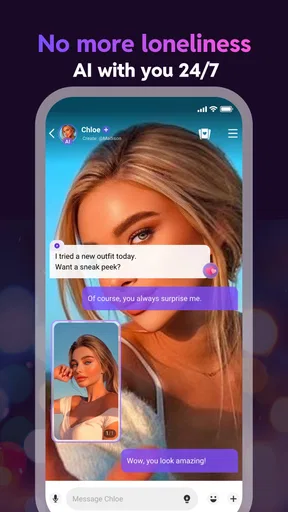
There is a useful emotional boundary here too. The app can make a lonely evening feel less empty, but I would notice if it began replacing every real-world interaction. Its convenience is both its strength and its risk: the character is always available and easy to direct, while real relationships require patience and compromise. I recommend using it as one activity among others, especially for users who are already vulnerable to withdrawing from friends or family.
Who will get the most from it?
I would recommend Linky AI to adults who enjoy roleplay, character-driven fiction, casual AI conversation, or low-pressure creative experimentation. It is particularly suitable for someone who wants to test story ideas without committing to a full manuscript, practice writing dialogue, or explore different conversational moods. If you like shaping a scenario through back-and-forth messages, the app gives you a more engaging starting point than a blank assistant window.
It can also work for users who want a quick conversational diversion rather than a competitive game. There is no need to master a complicated ruleset or understand a large fictional universe before beginning. You can enter with a simple premise and gradually add detail. That accessibility is valuable, although the open-ended format means the user’s imagination and willingness to guide the exchange strongly influence the result.
I would skip it if your main goal is factual accuracy, professional work, structured learning, or a real social community. I would also skip it if you dislike conversations that may need steering, or if you expect every character to remember details perfectly across a long interaction. A conventional assistant, a moderated community, or a scripted story game will be a better match depending on which of those needs matters most.
For parents, the Mature 17+ label makes this an unsuitable casual download for children. For anyone considering purchases, I suggest trying the free experience first, deciding whether the conversations genuinely hold attention, and setting spending controls before exploring optional extras. That small pause can prevent the app’s novelty from turning into an impulsive expense.
My verdict after using it
Linky AI succeeds because it understands that many people do not want another tool that only answers commands. They want a character, a mood, and a reason to keep the conversation going. When I supplied a clear premise and accepted the interaction as improvisation rather than truth-seeking, it was enjoyable and occasionally useful for creative work. The social presentation makes the experience approachable, and the free entry point makes it easy to decide whether the format suits you.
Its weaknesses are just as important. The illusion can weaken when a character repeats itself or loses track of the scene, and the open-ended design cannot match the pacing of a carefully written game. Purchases require restraint, and the Mature 17+ classification means the app deserves thoughtful use rather than being treated as an all-ages toy.
My recommendation is specific: try it if you want an AI roleplay companion and are comfortable guiding the conversation, but do not install it expecting a reliable assistant or a substitute for human connection. Used within those limits, it is a distinctive social app with real creative value. Used without them, its charm can turn into repetition, unnecessary spending, or expectations the technology cannot meet.
Pros
- AI chats feel engaging and support several conversation styles.
- Playful features add variety beyond standard text-based chatting.
- Useful for exploring ideas
- stories
- and casual roleplay.
- Clean interface makes the main features easy to discover.
- Suitable for quick entertainment sessions on mobile devices.
Cons
- Some responses may feel repetitive during longer conversations.
- AI-generated content can occasionally be inaccurate or inconsistent.
- Advanced features may depend on subscriptions or in-app purchases.
- Privacy details should be checked before sharing personal information.
- Performance and response quality may vary with network conditions.
FAQs for Linky AI: Chat, Play, Connect
What is Linky AI: Chat, Play, Connect?
Linky AI: Chat, Play, Connect is an entertainment and social AI app designed for conversations with virtual characters. After installing it, users can explore different personalities, start text-based chats, and interact with AI-generated characters in role-playing or casual scenarios. The experience is aimed at people who enjoy creative conversations, storytelling, and discovering character-driven interactions rather than traditional messaging with real contacts.
Is Linky AI: Chat, Play, Connect free to download and use?
The app can generally be downloaded at no initial cost, but some features may be limited unless you use in-app purchases or a subscription. Access to certain characters, extended conversations, premium tools, or additional content can depend on the current plan offered by the developer. Before confirming a purchase, check the app store listing and subscription screen carefully, including renewal terms and cancellation instructions.
Can users create or customize AI characters in Linky?
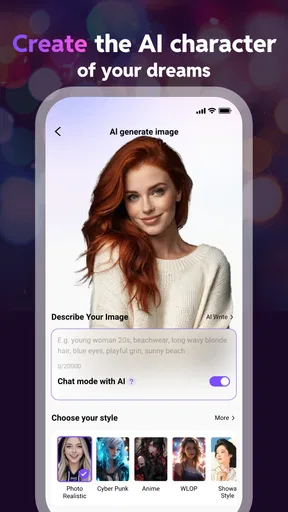
Linky is built around character-based conversations, and the available customization options may allow users to choose personalities, themes, or conversation styles. The exact tools can vary by version, account type, and region. If creating a character is important to you, review the options inside the app after signing in, because some advanced customization features may be restricted to premium users or require additional credits.
Does Linky AI protect personal information and private conversations?
Because Linky involves AI conversations and may require an account, users should review its privacy policy before sharing sensitive information. Avoid entering passwords, financial details, private identification data, or anything you would not want processed by an online service. Conversation data may be collected or handled to operate, improve, moderate, or personalize the service, depending on the developer’s current policies.
Is Linky AI: Chat, Play, Connect suitable for children and teenagers?
Parents should check the app’s current age rating, content labels, and privacy practices before allowing a child or teenager to use it. AI character apps can include mature themes, romantic role-play, user-generated material, or conversations that are not appropriate for every age group. It is also wise to review parental controls, monitor purchases, and explain that AI responses can be fictional, inaccurate, or unpredictable.


